Spriterrific turns one sentence — or one image — into a complete animated 2D character. Not a single static portrait: a character anchor plus a set of animation sprite sheets (walk, idle, run, attack, custom moves) that stay on-model, share one frame grid, and drop straight into a game engine.
To keep this concrete, one real character runs through this whole page: cat-footballer, generated for a Three.js football game from a single line of text. Every image below is an actual artifact from that run — nothing staged.
How it works
- Describe or upload. Give a character prompt — the cat below came from “a cat footballer wearing a sports jersey, empty hands, no ball, no props” — or a reference image whose identity you want preserved. Pick the game view (side-scrolling platformer, top-down, isometric…) and a facing direction.
- Anchor first. Spriterrific generates a single canonical full-body character image — the anchor — on a clean chroma background. Every animation derives from this anchor, which is what keeps the character consistent.
- Animate with video models. For each requested action, the engine writes a controlled motion prompt (in-place walk cycle, fixed camera, no palette drift) and runs an image-to-video model on the anchor. The best frames are auto-selected into a sprite sheet.
- Export. Each animation lands as a transparent PNG sheet on a 256×256 frame grid with a
manifest.json(frames, fps, columns, rows, anchor point) and a GIF preview.
Step by step on the cat: the one-line prompt produced this anchor —
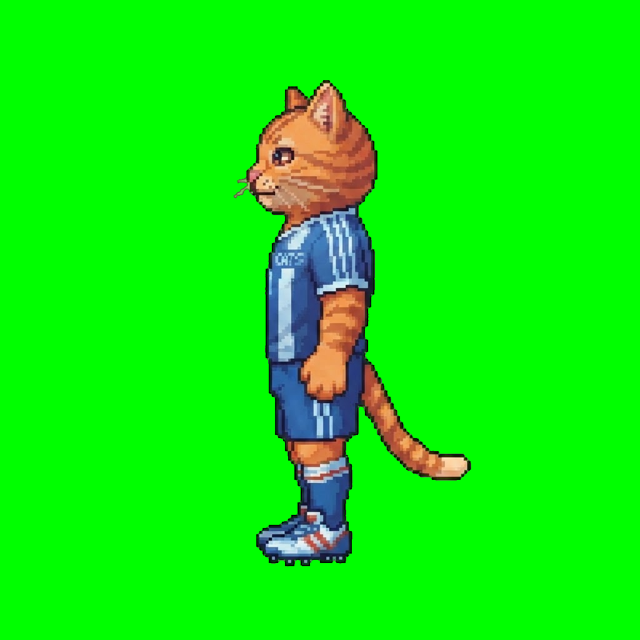
— the anchor produced this walk-cycle sprite sheet, 8 frames on a 5×2 grid of 256px cells —
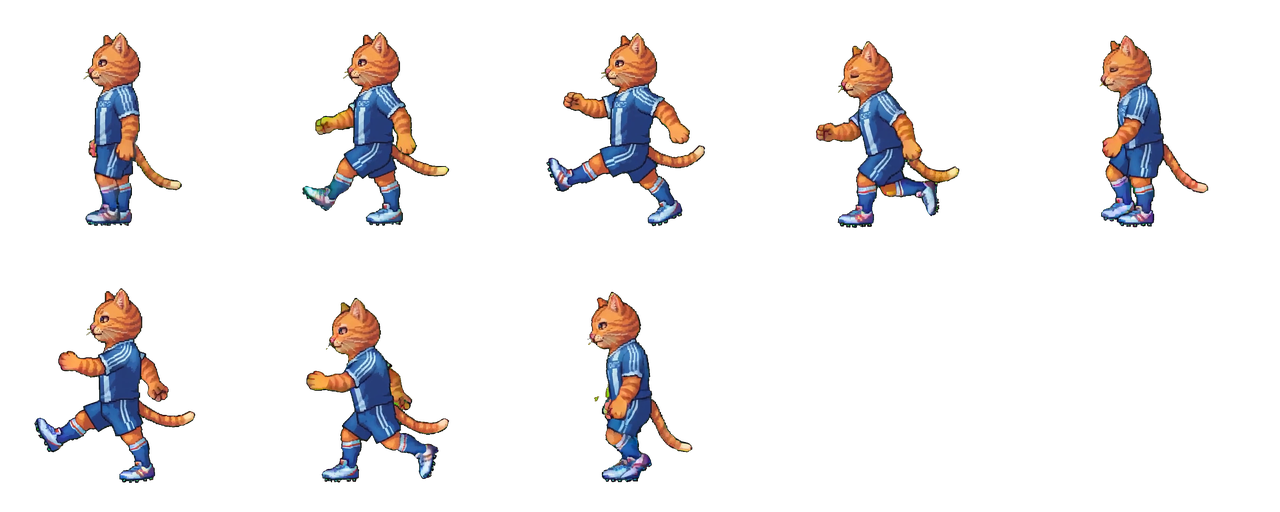
— and the sheet plays back like this:
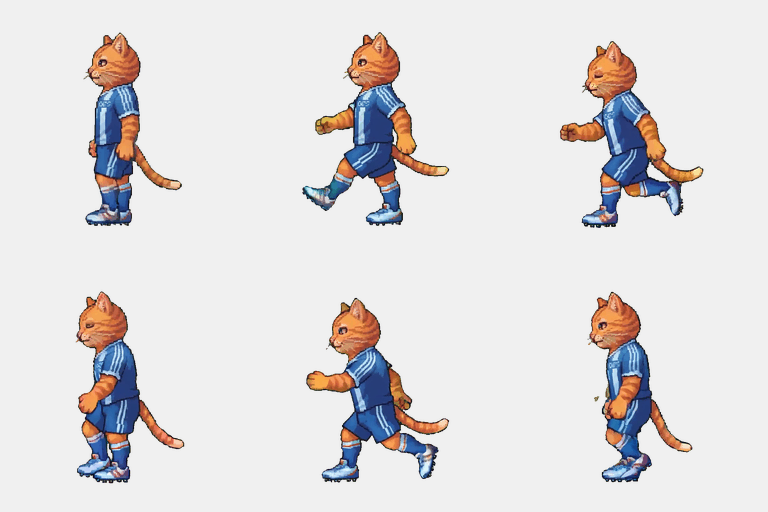
The manifest is the contract
Engines don't want vibes, they want numbers. Every animation ships with frame metadata that answers the importer's questions exactly — this is the cat's walk manifest:
{
  "action": "walk",
  "direction": "w",
  "frameWidth": 256,
  "frameHeight": 256,
  "columns": 5,
  "rows": 2,
  "frames": 8,
  "fps": 10,
  "anchor": { "x": 128, "y": 255 }
}
That anchor is the character's foot contact point (bottom-center of the frame), which is what you pivot on in Unity, origin-align in Phaser, or offset a billboard by in Three.js. The per-engine guides show the real integration code:
- Unity sprite generator guide — Sprite Editor slicing, pivots, Mecanim clips, from a real Unity 6 platformer.
- Phaser sprite generator guide —
load.spritesheet+anims.createfrom a shipped Phaser 4 game. - Three.js sprite guide — UV-animated billboards from a 3v3 football prototype.
One character, many moves
A character job generates the anchor plus your first animations in one go. After that, action jobs add moves to the same character without regenerating it. The cat started with walk and idle, then picked up run, hurt, and two custom moves its game needed — a kick riding the attack motion preset, and a sliding tackle described in one line (“low aggressive slide along the ground, leading leg extended”):
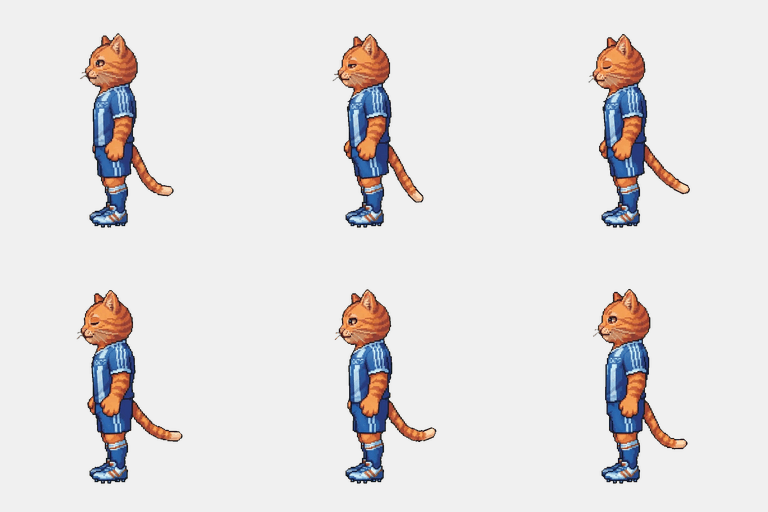
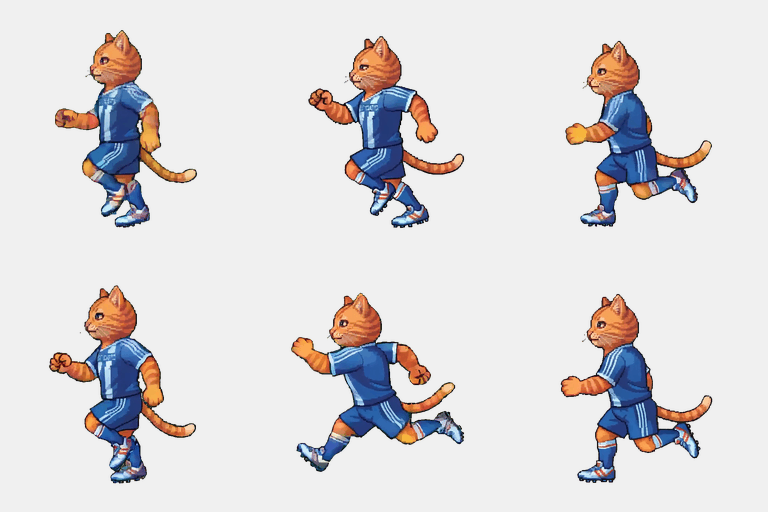
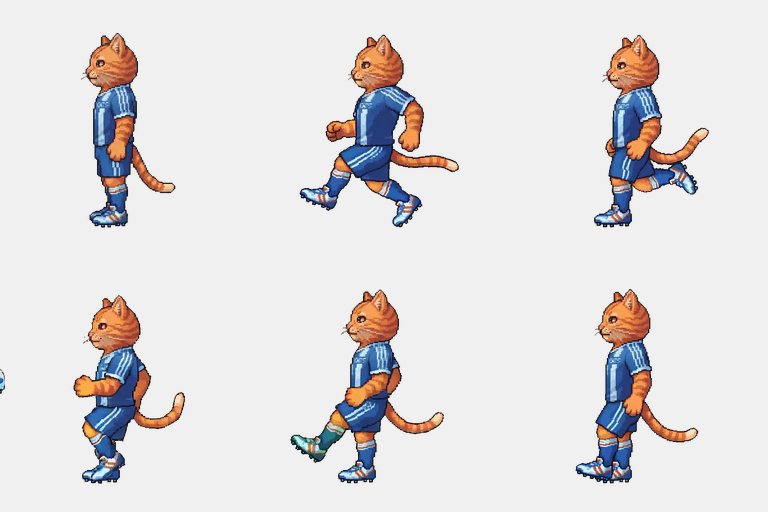
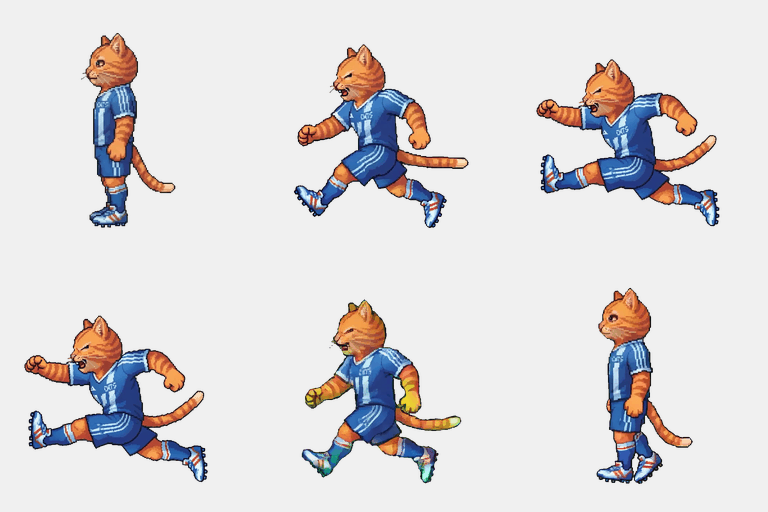
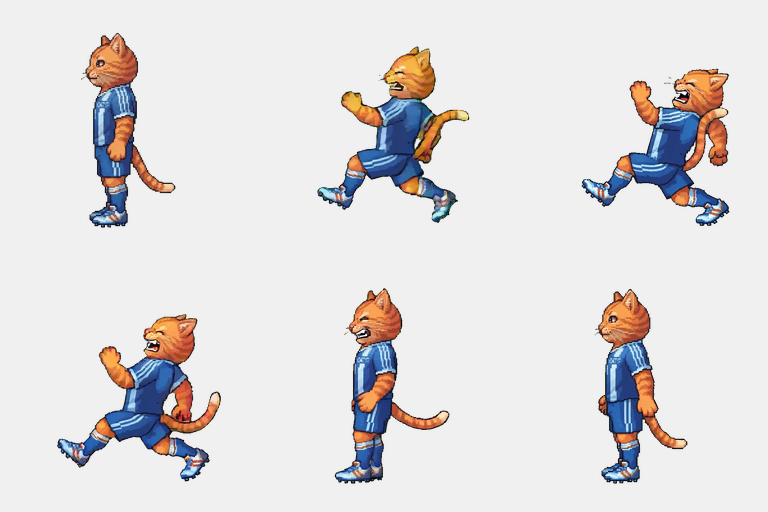
Every one of these derives from the same anchor — which is why frame 6 of the sliding tackle is still recognizably the same cat as frame 1 of the idle.
Need the same character in a new outfit, or facing a different direction? Variant jobs edit the existing anchor while pinning the face, proportions, and art style — “replace the jersey with a winter kit” changes the kit and nothing else. See the character generator guide for prompt patterns that work.
It ends up in shipped games
The cat isn't a demo asset — it plays in a 3v3 football prototype as a UV-animated billboard (the Three.js guide shows the integration code). And the same pipeline has shipped very different games and characters:
That's Unity's 2D Platformer Microgame after a full art facelift — player, enemy, and animated props all generated (the Unity guide documents every import setting). Walk cycles from five more characters, each from a one-line prompt or a single reference image:
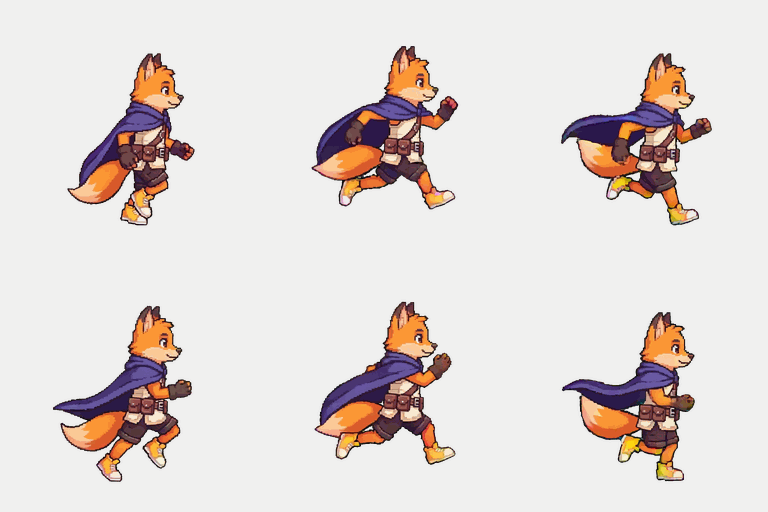
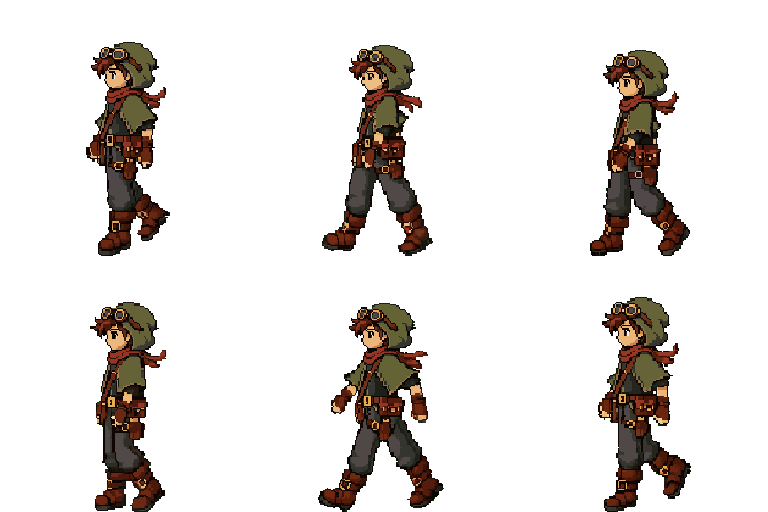
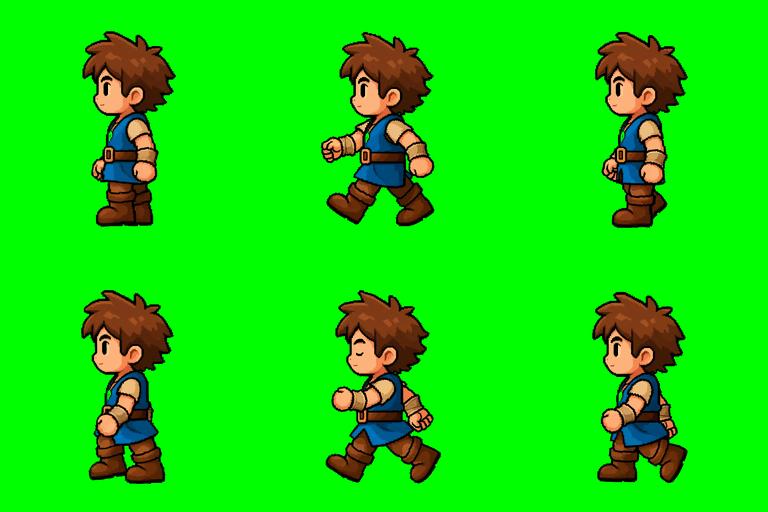

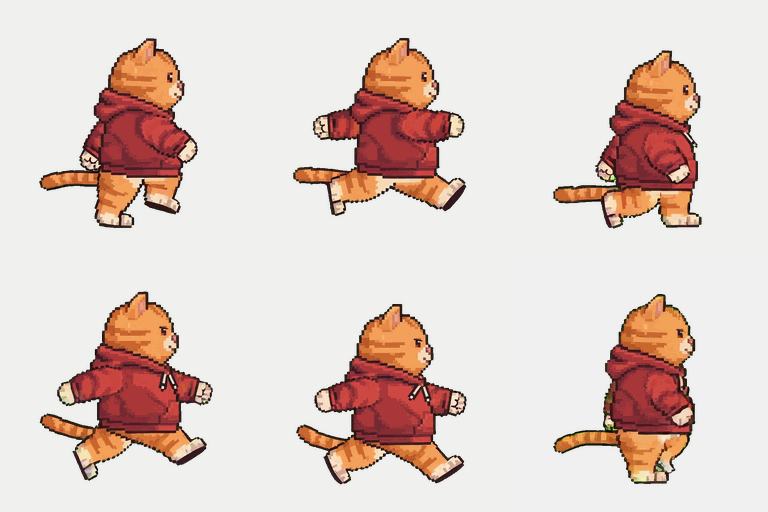
It scales to whole genres, too — there are grounded guides for a fighting game roster (three fighters with custom specials), a beat 'em up cast (player, enemies, boss, weapon variants), and a point-and-click adventure (talk cycles, verb animations, animated props).
Built for people and for agents
There are two ways to drive Spriterrific:
- The Studio at app.spriterrific.com — a browser dashboard with live job progress, artifact previews, and an interactive frame picker for re-cutting a sheet from the raw generation (free, no extra credits).
- The HTTP API + agent skill — a documented REST API with an installable skill file, so AI coding agents like Claude Code and Cursor can generate sprites mid-session while building your game. The Unity platformer and Three.js football game on this page were both art-directed this way. Read how agents generate sprites.
What it costs
Everything is credit-based: image generations (anchors) cost 30 credits; video-model animations cost 100 credits each.
| Job | Credits |
|---|---|
| Character from prompt + walk + idle | 290 |
| Character from your own image + walk + idle | 260 |
| Extra animation on an existing character | 100 |
| Re-cut a sheet with the frame picker | 0 — free |
New accounts start with 500 free credits — a character with four moves, no card required. For scale beyond that, the $12/month Starter plan includes 1,500 monthly credits (about two fully animated six-move characters), and top-up packs from $10 never expire — see pricing. Failed steps refund automatically.