Prompt-to-character is fun, but plenty of projects start from art that already exists: a concept you commissioned, a character sheet from an artist, or a design you generated and fell in love with in another tool. The problem is never the image — it's the other 40 frames. This page shows the image-to-animation path with a real, shipped example.
A real run: concept image → playable hero
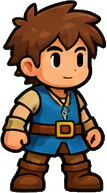
A Phaser starter project began with this concept reference — a single static image, no animations:
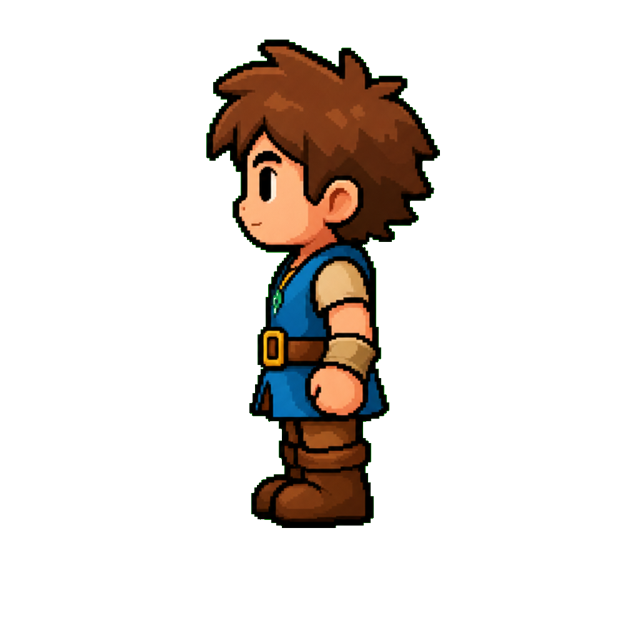
Spriterrific turned it into a west-facing anchor with the design preserved:
…and then into a full animation set — idle, walk, run, jump, plus a custom walk-into-portal move — all on the standard 256×256 frame grid, promoted into the game's public/assets/hero-v2/ with a provenance manifest recording every generation run:
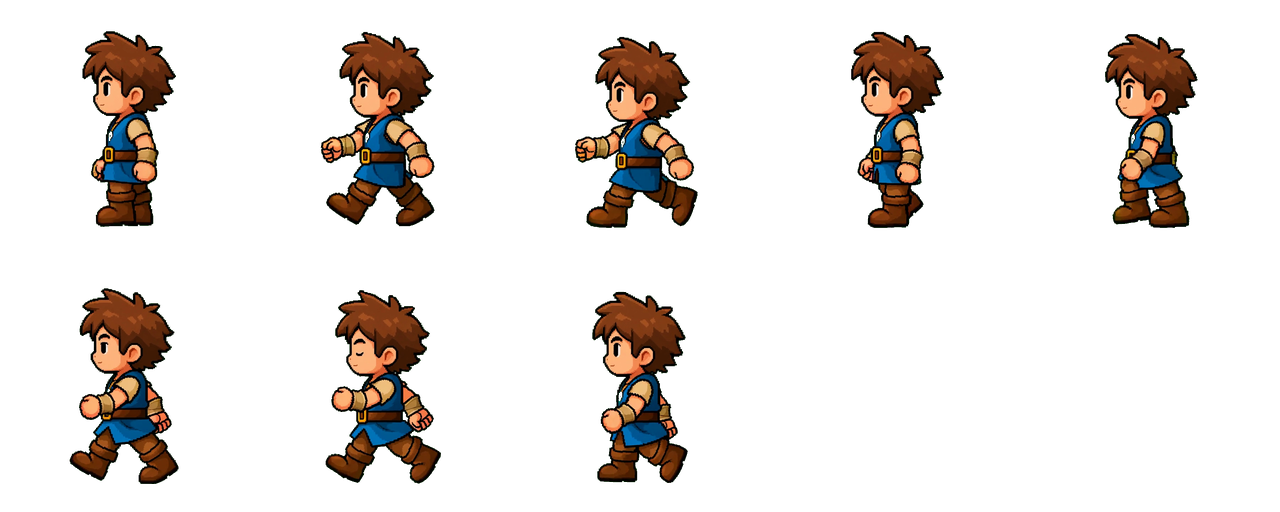
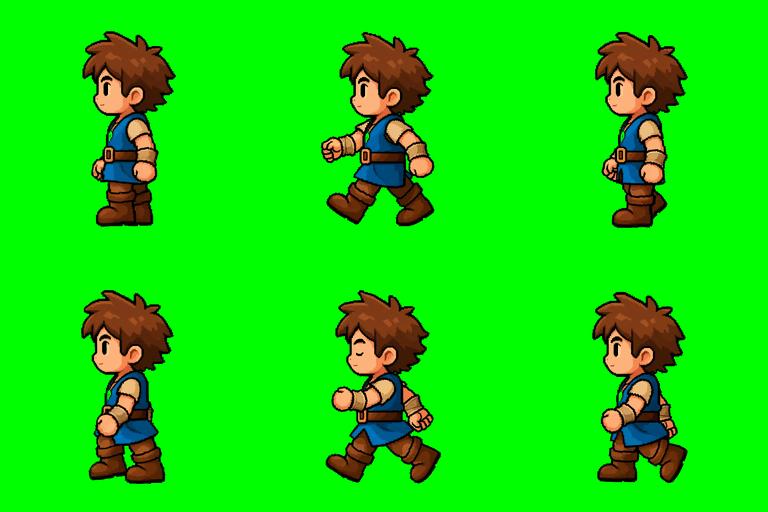
The hood, cape, outfit color blocks and proportions survived from concept to every frame — that's the acceptance bar for this workflow, and it's why the anchor step exists.
How the identity is preserved
- Anchor from your image. Your image becomes the base for a canonical directional anchor (1024×1024, clean background) using a reference-preserving preset: the pipeline is told to treat your image as the identity, palette and style ground truth, not as loose inspiration.
- Animations pin to the anchor. Every animation prompt uses the anchor as a strict first-frame reference and explicitly forbids redesigning, recoloring or simplifying the character. Costume details are enumerated as must-keeps.
- Same grid, same metadata. Output is identical in format to prompt-born characters: fixed 256px frame cells, manifest JSON, foot-anchored frames. Engines can't tell the difference — see the Phaser and Unity integration guides.
Second facings and outfit changes
The hero above later needed to walk into a portal — a back view. Rather than regenerate the character from scratch (which invents a new face and style no matter how careful the prompt), the project generated a variant: same character as the source, new n (north/back) facing, then animated that. Variants also handle outfit edits — “replace the cloak with a leather jacket” — while pinning the face, proportions and art style. The rules for what to say (and what not to re-describe) are covered in the character generator guide.
Practical input notes
- One character, full body. Head-to-feet, not a bust crop. Extra characters or busy scenes confuse the anchor step.
- The direct-image rule (API users). If you drive this through the HTTP API,
sourceImageUrlmust serve raw image bytes — share-page links (Google Drive, Dropbox preview pages) return HTML and are rejected. Uploading through the Studio sidesteps this entirely. - Design ambiguity becomes animation ambiguity. If the concept's feet or hands are vague, the animations will guess. The cleaner the input, the more on-model the motion.
Cost
Starting from an image skips a generation: 260 credits for a character with walk + idle, versus 290 from a text prompt. Extra animations are 100 credits each on the same anchor; frame re-cuts are free. New accounts start with 500 free credits — enough to animate your character with two moves, no card required (pricing).