A walk cycle is where sprite generation earns its keep or falls apart. A static character portrait is easy; eight frames of the same character alternating feet, counter-swinging arms, staying in place, and looping cleanly is the actual product. This page shows how Spriterrific generates walk cycles — with the real prompts, verbatim, from a documented run.
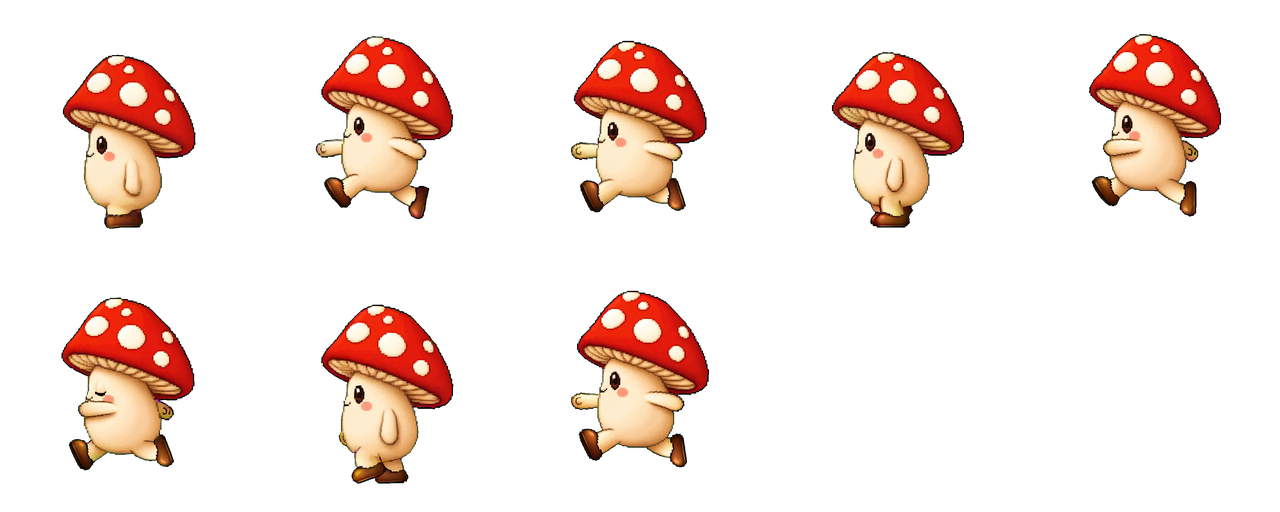

You write one line; the engine writes the rest
For the mushroom above, the entire human-authored input was:
a whimsical little mushroom character with a red polka-dot cap, round cream body, and stubby legs, full body
That prompt produced the character anchor. For the walk itself, the author wrote no prompt at all — just requested the walk action. The engine expanded it into a controlled video-model prompt. An excerpt of what was actually sent (captured verbatim from the run):
Animate this single character into a simple west / left-facing in-place
walk cycle for a 2D game sprite.

Use the input image as a strict first-frame identity, palette, scale,
and sprite-style reference. Do not redesign, repaint, recolor, simplify,
smooth, airbrush, modernize, replace, remove, or invent character details.

Use clear alternating left/right stride poses: left foot forward while
right foot back, then right foot forward while left foot back. Arms
counter-swing opposite the legs. Do not move both feet together.

One character only. Flat chroma background only. No scene. No new props.
No palette/costume drift.
Every constraint in there answers a specific failure mode of naive "make it walk" prompting: in-place motion (so the loop doesn't drift), fixed camera, alternating stride with arm counter-swing (so it doesn't skate), and identity pinning against the anchor (so frame 6 is the same mushroom as frame 1).
From video to loop-ready sheet
The video model returns a short clip; Spriterrific extracts dense frames and auto-selects a loopable set — typically 8 frames at 10 fps — packed onto a 256×256 grid with the foot contact line at the cell bottom:
{ "action": "walk", "frames": 8, "fps": 10, "columns": 5, "rows": 2,
  "frameWidth": 256, "frameHeight": 256, "anchor": { "x": 128, "y": 255 } }
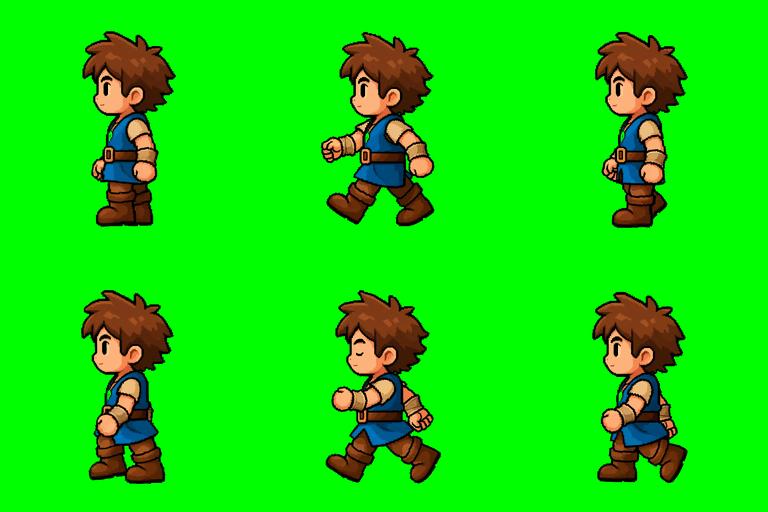
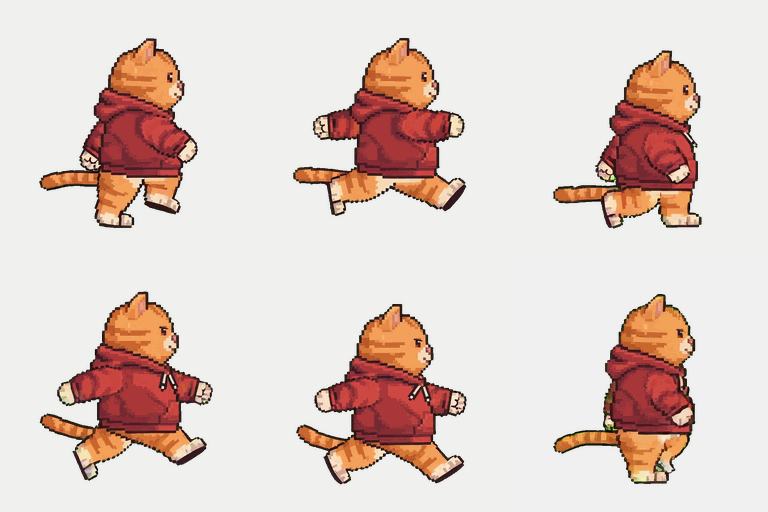
Here's the same pipeline on two very different characters — a hooded platformer hero and a hoodie cat:
When the first cut isn't right: steer, then re-pick
Two tools fix imperfect walks without burning a full regeneration:
Steering with action context. Video generation is stochastic. If a walk reads as a jog, don't re-roll blind — name the fix: “slow relaxed walk, upright torso, no sprint lean”. The same mechanism handles character-specific quirks; the mushroom project's idle needed “stubby stem-feet stay fused to the floor and never lift, slide, or shift” to stop the video model from shuffling its legs. Steering notes append to the engine's controlled prompt, so all the loop-safety constraints stay intact.
The frame picker (free). When the motion is right but the cut is wrong — uneven spacing, a missing contact pose, a loop that pops — re-select frames from the dense extraction instead of regenerating. A documented example: a hoodie-cat walk whose auto-selection was replaced with 8 evenly spaced frames picked from 40+ extracted candidates, activated as v2 of the same sheet. Zero credits; the game's loader config didn't change.
Dropping the loop into your engine
The sheets are engine-neutral PNGs with a manifest, and the loop settings are one flag per engine — repeat: -1 in Phaser, Loop Time in Unity, a frame-wrap in Three.js. Each has a grounded walkthrough:
- Unity: slice, pivot at the feet, clip at manifest fps
- Phaser:
generateFrameNumbersover the manifest's frame count - Three.js: UV-offset playback on a billboard
One facing is usually enough — side-scrollers mirror the sheet for the opposite direction at runtime.