This guide is grounded in a real project: a 3v3 football prototype built with Three.js + Vite + TypeScript, where every player — a cat footballer, a dog in an England kit, a rabbit in a Spain kit — is a Spriterrific-generated sprite sheet playing on a billboard plane over a 3D pitch.
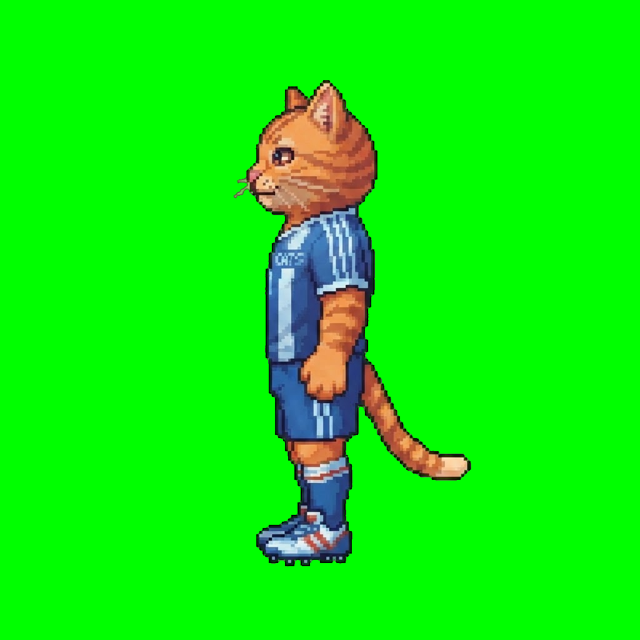
The cat was generated from this prompt, west-facing, as a platformer-view character:
a cat footballer wearing a sports jersey, empty hands, no ball, no props
with walk, idle and attack animations — plus custom football moves added later (a kick rides the attack motion preset, a sliding tackle got its own action with a one-line motion note: "low aggressive slide along the ground, leading leg extended").
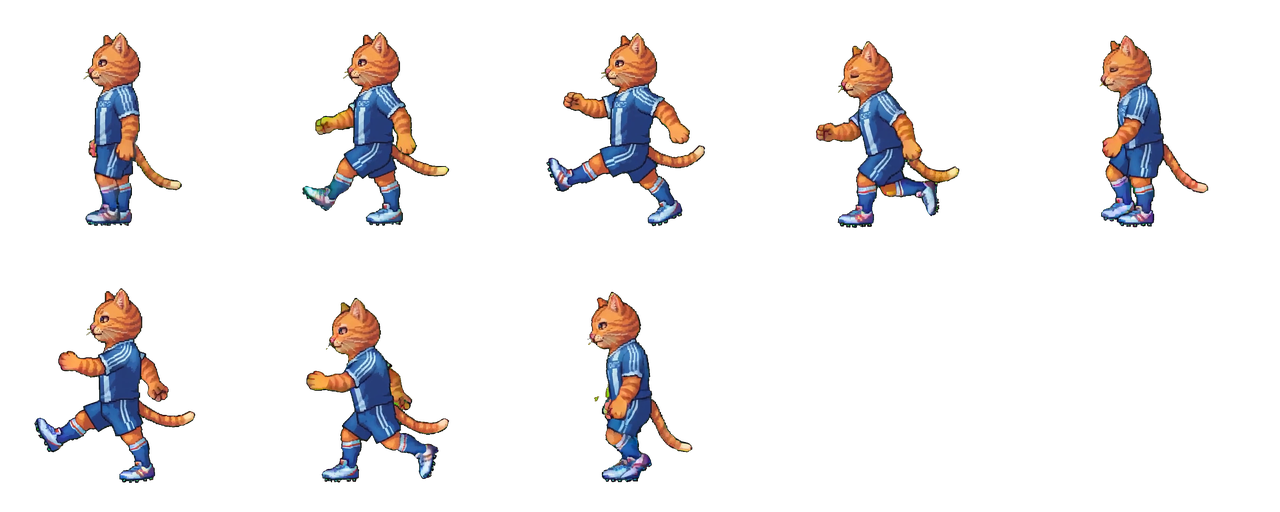
The cat's full move set from the run previews — including the custom football moves the standard vocabulary doesn't name:
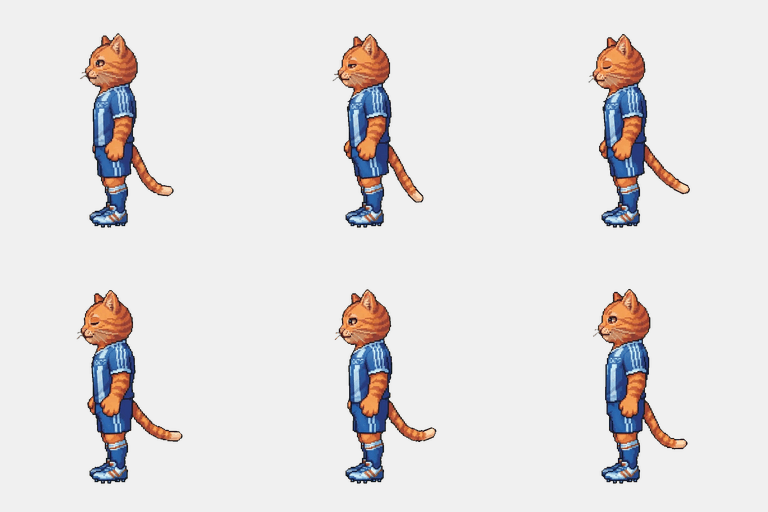
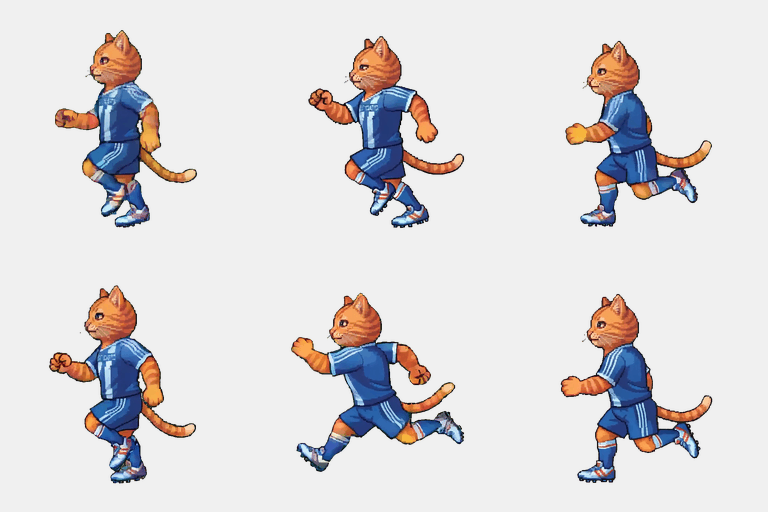
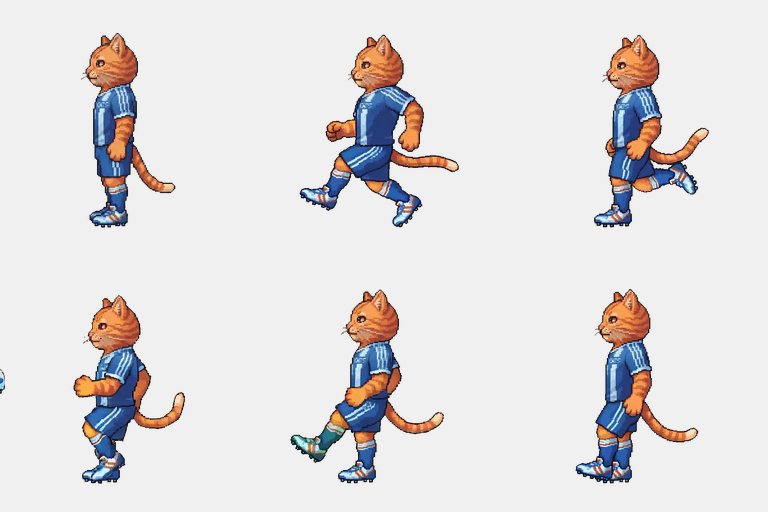
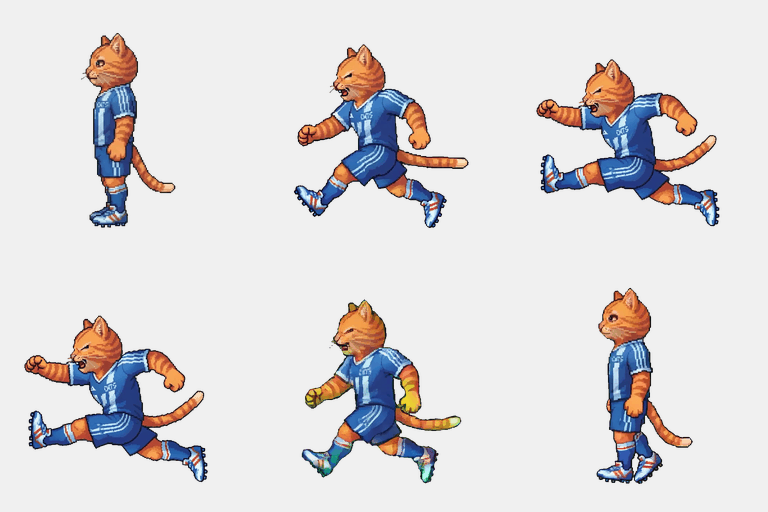
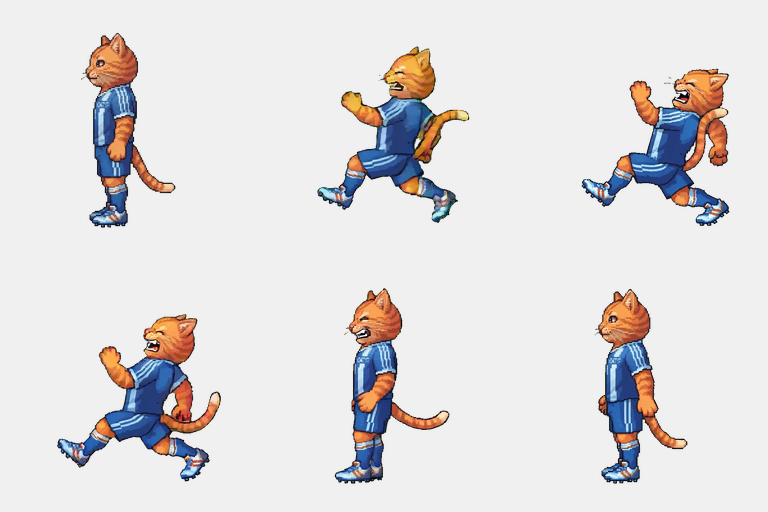
The character catalog: metadata drives everything
Every sheet ships with a manifest (frames, fps, columns, rows, 256×256 cells). The game centralizes those numbers per character:
// characters/catalog.ts — numbers straight from each manifest.json
export const CAT: CharacterDef = {
  frameWidth: 256,
  frameHeight: 256,
  columns: 5,
  rows: 2,
  height: 1.4, // world-units tall on the pitch
  sheetFacesRight: false, // cat sheets face west natively
  anims: {
    idle:   { frames: 10, fps: 6,  url: '/assets/cat/idle.png' },
    walk:   { frames: 8,  fps: 10, url: '/assets/cat/walk.png' },
    run:    { frames: 8,  fps: 12, url: '/assets/cat/run.png' },
    attack: { frames: 8,  fps: 12, url: '/assets/cat/attack.png' },
    tackle: { frames: 8,  fps: 10, url: '/assets/cat/tackle.png' },
    hurt:   { frames: 6,  fps: 8,  url: '/assets/cat/hurt.png' }
  }
};
Texture setup: one cell at a time
Load each animation's PNG once, then configure it to sample exactly one grid cell:
// CharacterBillboard.ts — real texture setup from the football game
meta.texture.colorSpace = THREE.SRGBColorSpace;
meta.texture.magFilter = THREE.LinearFilter;
meta.texture.minFilter = THREE.LinearFilter;
meta.texture.wrapS = THREE.ClampToEdgeWrapping;
meta.texture.wrapT = THREE.ClampToEdgeWrapping;
meta.texture.repeat.set(1 / def.columns, 1 / def.rows);
The material that avoids the classic transparent-sprite artifacts:
this.material = new THREE.MeshBasicMaterial({
  map: animMap.idle.texture,
  transparent: true,
  alphaTest: 0.12,   // clips fringe pixels around the character
  depthWrite: false, // transparent quads don't hole-punch each other
  side: THREE.DoubleSide,
});
const geo = new THREE.PlaneGeometry(1, 1);
this.mesh = new THREE.Mesh(geo, this.material);
Frame advance is two UV offsets
Playback is a fixed-timestep counter that maps the current frame index to a grid cell:
private applyFrame(): void {
  const sheet = this.sheets.get(this.current)!;
  const col = this.frame % this.def.columns;
  const row = Math.floor(this.frame / this.def.columns);
  sheet.texture.offset.x = col / this.def.columns;
  sheet.texture.offset.y = 1 - (row + 1) / this.def.rows;
}
The 1 - (row + 1) / rows handles the coordinate mismatch: sprite sheets read top-to-bottom, texture space indexes bottom-up. Get this wrong and your walk cycle plays the bottom row first.
Loops wrap to frame 0; one-shots (kick, tackle, hurt) clamp on the last frame and fire a completion callback:
if (this.frame >= sheet.frames) {
  if (ONE_SHOT.has(this.current)) {
    this.frame = sheet.frames - 1;
    this.onOneShotComplete?.(); // gameplay returns to idle here
  } else {
    this.frame = 0;
  }
}
Facing: why this isn't THREE.Sprite
The project's README is blunt about it: the characters are “plane mesh, not Sprite — so facing flip works.” THREE.Sprite misbehaves under negative scale; a plane flips perfectly:
private applyFacing(): void {
  const flip = this.facingRight !== this.def.sheetFacesRight;
  this.mesh.scale.x = flip ? -w : w;
  // Mirror the origin too, or the sprite shifts sideways when turning:
  const ox = flip ? 1 - this.profile.originX : this.profile.originX;
  this.mesh.position.set(-(ox - 0.5) * Math.abs(this.mesh.scale.x), -(oy - 0.5) * h, 0);
}
sheetFacesRight matters because generated characters have a native facing — the cat was generated west-facing, the dog and rabbit east-facing — and the flip must be relative to the sheet, not the world.
To keep billboards upright and facing the camera on a 3D pitch:
faceCamera(camera: THREE.Camera): void {
  const dx = camera.position.x - this.root.position.x;
  const dz = camera.position.z - this.root.position.z;
  this.root.rotation.y = Math.atan2(dx, dz);
}
Grounding the feet
Spriterrific frames carry the foot contact point at bottom-center (anchor: { x: 128, y: 255 } in the manifest). The billboard converts that to an origin offset so the character stands on the pitch instead of floating at its frame's center — the same feet-first rule as the Unity and Phaser integrations, just expressed as a mesh position offset.
The whole cast, one pipeline
Three characters, three prompts, one integration: the dog (“a dog footballer wearing an England kit, white jersey with red accents…”) and rabbit (“…a Spain national team kit, red jersey with yellow gold accents…”) reuse the exact same billboard class — only their catalog entries differ. Domain moves the standard action set doesn't name (soccer kick, sliding tackle) were generated as custom actions on the existing characters for 100 credits each.
The entire cast was generated by an AI coding agent driving the Spriterrific HTTP API mid-build — that workflow is documented here.