Every character on this site's guides came from a one-line prompt. This page collects those prompts verbatim, plus the patterns that make characters come out consistent, animatable, and easy to re-dress — and the failure modes that waste credits.
Real prompts, real characters
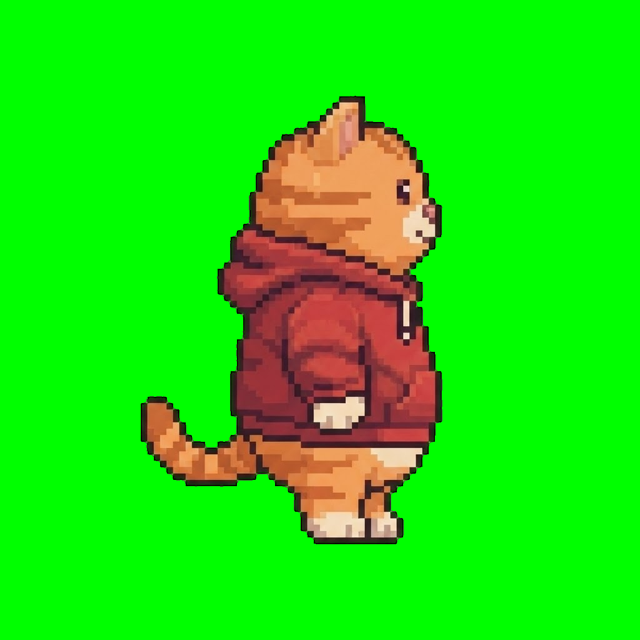
The hoodie cat — used to benchmark the whole pipeline:
a chubby orange tabby cat in a red hoodie
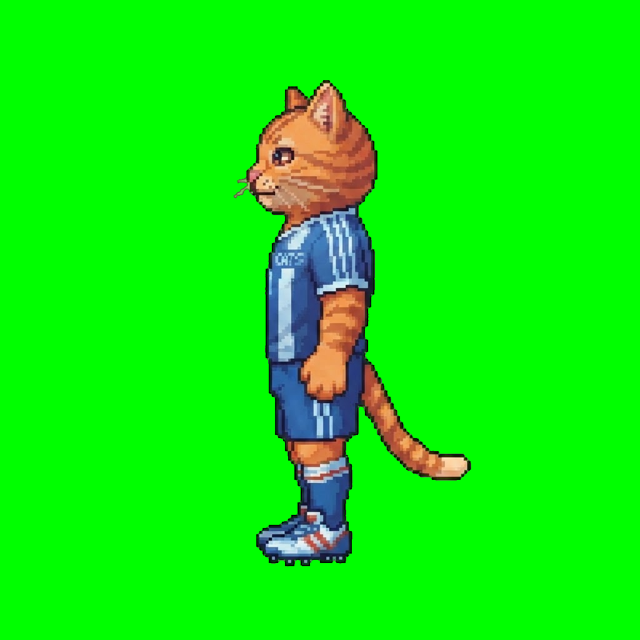
The cat footballer — from a Three.js football game; note the explicit exclusions:
a cat footballer wearing a sports jersey, empty hands, no ball, no props
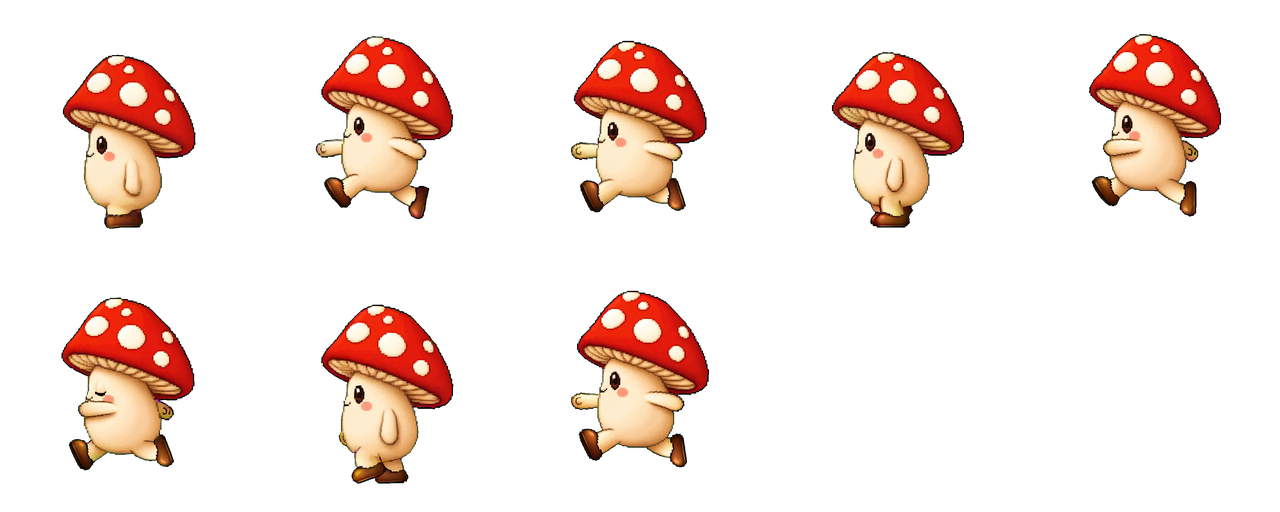
The mushroom sprite — deliberately designed to be nothing like a knight or a hooded hero:
a whimsical little mushroom character with a red polka-dot cap, round cream body, and stubby legs, full body
What the engine adds around your line
Your prompt is the identity; the engine supplies everything else through a controlled template. From a captured run, the template around the mushroom line specified — among other things:
- high-fidelity 2D pixel-art-inspired game sprite
- clear silhouette and readable outfit at gameplay scale
- exactly one full-body character, neutral upright pose, centered
- full body visible from hair to feet, generous margin
- opaque flat background, no scenery / props / shadows
- no realistic photo, no cinematic render, no 3D model look
This is why short prompts win: composition, framing, style policing and background handling are already solved. Your words should carry only what's unique — species, build, costume, palette cues, and exclusions.
Prompt patterns that hold up
- Identity + two costume cues. "A dog footballer wearing an England kit, white jersey with red accents" pins the design without a paragraph.
- Exclude what the noun invites. "Footballer" invites a ball; "knight" invites a sword. If you don't want it in every animation frame, say so: empty hands, no props.
- Say "full body". Croppy compositions make un-animatable characters.
- Don't art-direct the medium. No "octane render", no "4k", no photographic language — the template forbids it anyway, and fighting the template degrades results.
Changing a character without losing them
The single most expensive mistake in AI character work is regenerating from a new description to change one thing. A documented field case: an agent rebuilt a character through a separate image tool for an outfit swap, describing every trait carefully — and the result lost the original's face, skin tone and art style anyway. Text cannot pin identity.
Variants exist for exactly this. A variant job references the existing character and takes an edit prompt describing only the delta:
replace the red hoodie with a denim jacket and add white sneakers
Face, skin tone, hair, proportions, pose and rendering style are preserved automatically; only what you name changes. The same mechanism produces new facings — omit the edit and request a different direction to get a back view or a south-facing anchor of the unchanged design (how a side-scrolling hero got its walk-into-portal back view in the image workflow guide).
Rules of thumb:
- One coherent change-set per variant. Stacking six edits multiplies drift.
- Never re-describe the character in an edit prompt — a full description competes with the base image.
- A new species or body type is honestly a new character; generate one.
Mixels, lobit, and being honest about "pixel art"
Two output modes, one important caveat:
- Mixels (default). High-fidelity, pixel-art-inspired sprites. Rich color ramps, painterly-crisp edges, no recoverable pixel grid. This is what every character on this page uses, and what most modern indie games actually want at runtime scale.
- Lobit. A deliberately simple, chunky low-fi distillation snapped onto a real pixel grid, with palette quantization. Strongest for creatures, monsters, and blocky or armored designs; detailed humanoids tend to overflow its simplicity contract (you get a warning when that happens).
- Not served yet: classic 16-bit arcade-fighter sprites — detailed humanoids with preserved proportions on a ~100–140px native grid. Lobit is not that style; mixels is today's best answer.
From character to game
An anchor alone is a portrait. The value compounds when you animate it — walk cycles, idles, attacks and custom moves all generate from the same anchor, so the character in frame 40 of the death animation is still the character you prompted. Then it's an engine import away: Unity, Phaser, or Three.js billboards.
A character from a prompt with walk + idle costs 290 credits; new accounts start with 500 free credits, and plans start at $12/month for 1,500 monthly credits (pricing).